Boom Bap Drums: 7 Decisions for a Vocal-Friendly Loop
Boom bap drums need a clear backbeat, purposeful kick movement and room for the voice. Build an original sixteen-step loop and compare controlled variations.

You program a kick, a snare and a busy hat pattern. The loop sounds lively until the verse starts. Now every consonant competes with a hat, the snare seems to interrupt the important words and moving one drum hit changes more than you expected.
Boom bap drums can provide a strong, recognizable backbeat while leaving space for a voice. There is no single mandatory pattern or tempo for the style. A useful first exercise is much smaller: build a clear loop, make one controlled change and compare it against the same short vocal recording.
This guide uses an original one-bar pattern in four-beat time. The grid is an illustrative starting point, not a transcription of a released track. You need a music editor or drum machine that lets you place individual hits. RapGen's text tools do not supply that editor, drum MIDI or separated drum stems.
1. Build a plain skeleton you can count
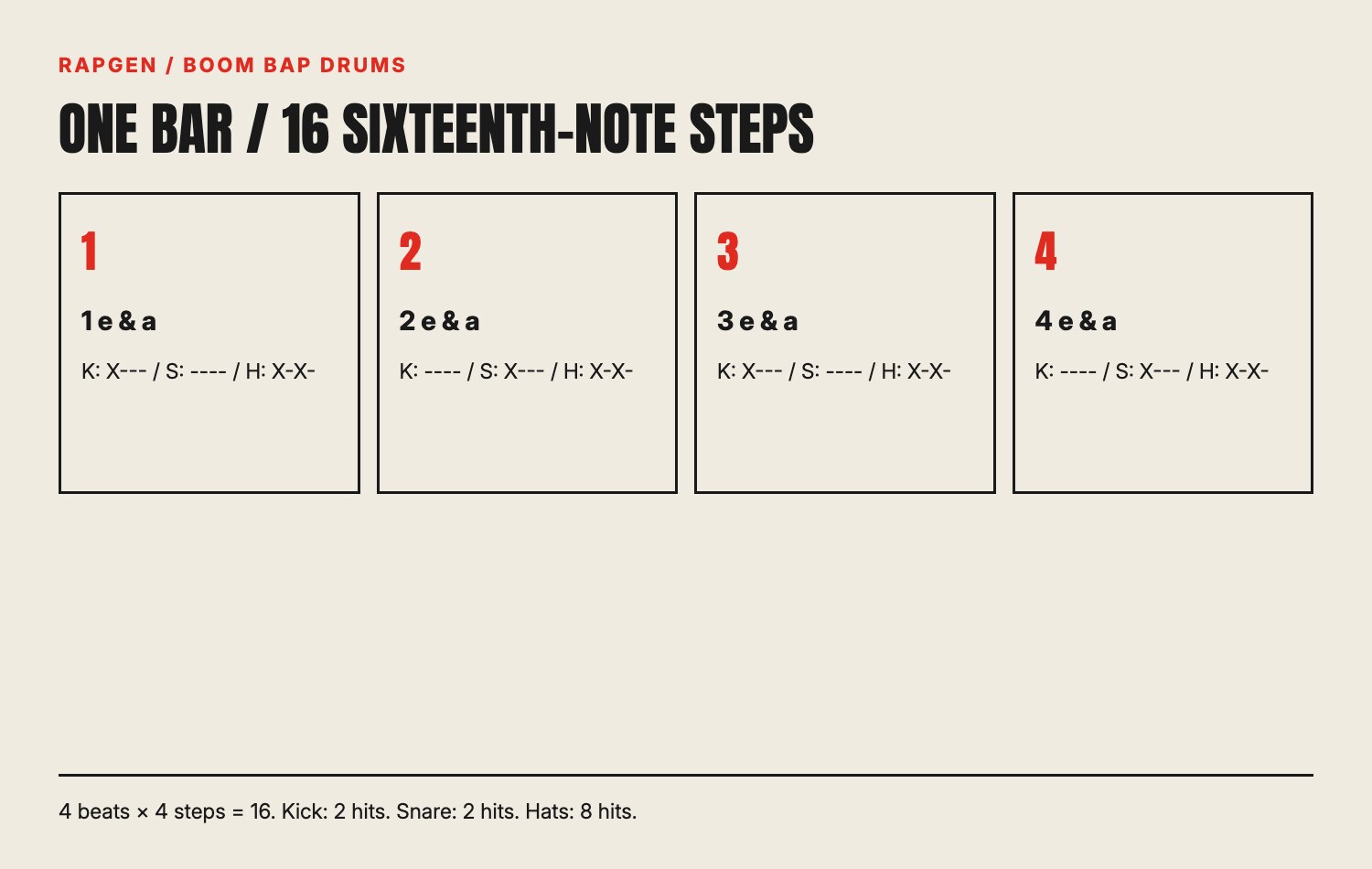
Set up one measure with four main beats and four sixteenth-note positions per beat. That makes sixteen positions total. Count them as “1 e and a, 2 e and a, 3 e and a, 4 e and a.” The words name positions; they do not require you to put a sound on every one.
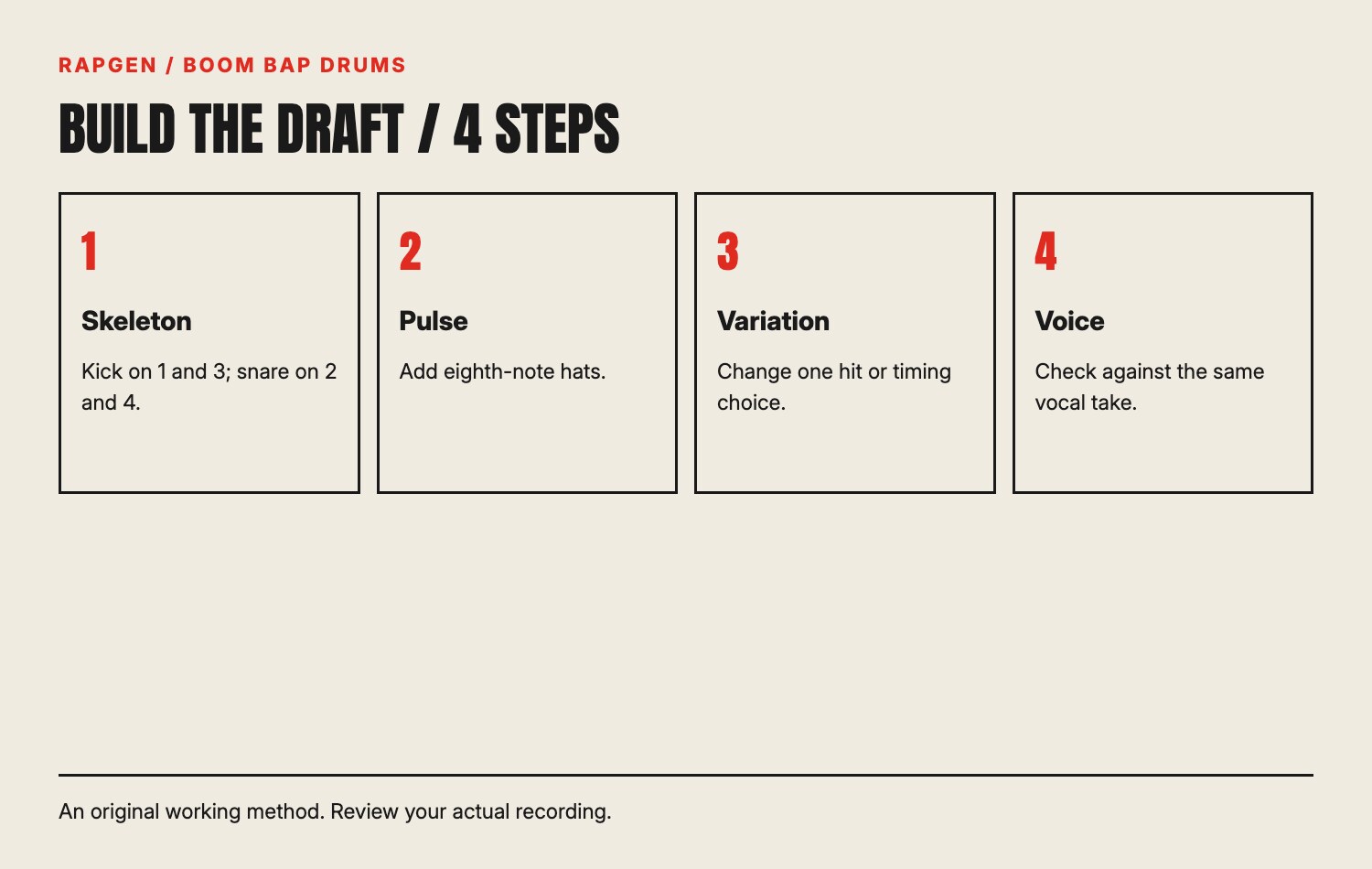
For the first pattern, put the kick on beats one and three and the snare on beats two and four. This gives you two kick hits and two snare hits. Leave the remaining positions empty while checking the pulse.
Use sounds you can hear clearly at a comfortable level. A dramatic kick with a very long tail may obscure the next hit, making it harder to judge a simple timing exercise. You can compare more elaborate sounds after the skeleton is stable.
Read the grid literally
In the following table, X means a hit and a dash means no hit. Each group has four positions: the beat, e, and, a. Spaces separate beats rather than representing additional steps.
| Instrument | Beat 1 | Beat 2 | Beat 3 | Beat 4 | Total hits |
|---|---|---|---|---|---|
| Kick | X--- | ---- | X--- | ---- | 2 |
| Snare | ---- | X--- | ---- | X--- | 2 |
| Hat | X-X- | X-X- | X-X- | X-X- | 8 |
The hat row comes in the next step. Keep a saved version with only kick and snare so you can return to a genuinely plain comparison. A screenshot of your editor is useful too, especially if the editor numbers steps differently from this worksheet.
2. Add hats as a pulse before adding decoration
Place a hat on the beat and on the “and” of each beat. That creates eight evenly spaced eighth-note hits across the measure. Keep their first version consistent so you can hear whether the spacing is stable.
Listen to the skeleton with and without the hats. The hat row should make the pulse easier to follow, not change which snare you perceive as the backbeat. If you lose the beat when the hats enter, inspect the editor's grid and the sample's audible attack.
A sample with silence before its main attack can sound late even when its file begins on the grid. Before moving a hit to fix timing, check whether you are hearing the sample's onset or a later part of its sound. Use your editor's sample controls if available and save the change separately.
A controlled velocity variation
Try a second version with quieter hats on the “and” positions. Keep the main-beat hats unchanged. This is one specific accent pattern, not a universal recipe for swing or groove.
Compare at similar playback loudness. Ask whether the alternation makes the main beats easier to identify and whether it leaves more room for the voice. If it merely makes the loop quieter, adjust the comparison before deciding it is an improvement.
3. Give an extra kick a reason to exist
After saving the plain version, add one kick before a snare or near the end of the measure. Use it to lead toward something you can identify: the next phrase, the beginning of another bar or a vocal pause.
Do not add several hits and change the sound at the same time. You would have no clear answer to which decision affected the groove. A controlled version with one added hit lets you hear whether that hit helps the phrase or crowds it.
For example, add a kick on the “and” of beat four. The next bar still begins with the original kick on one. Now listen across the loop boundary. Does the pair create a useful lead-in, or does the tail of the added hit blur the new downbeat?
The answer depends on the sound, tempo and vocal. You can keep the hit, shorten its tail or remove it. No worksheet can guarantee that one grid position will suit every recording. Save the plain pattern as the reference you can actually hear.
Check bass interaction separately
If your loop includes a bass part, listen to kick and bass together. Overlapping low-frequency sounds can make timing harder to distinguish, and a sustained bass note may change how long the kick seems to last.
Avoid solving every low-end problem by turning the kick up. Check arrangement and sound length first. Our kick and snare levels guide explores balance; this exercise keeps the focus on why a hit occurs where it does.
4. Treat timing changes as audible experiments
You can shift selected hits or use a swing control if your editor supports it. The controls differ across software. A swing percentage is not a portable promise that two editors will produce the same timing.
Start by identifying which positions the control changes. Many swing systems shift alternating subdivisions, but inspect your editor's behavior rather than assuming its implementation. Compare the resulting sound with the straight version using the same samples and vocal.
Move only a selected set of hits in a manual test. If you delay the entire drum group equally, you change its relationship to the voice but not the spacing within the group. That can be useful, but it is a different experiment from delaying only certain hats.
Write the change in the version name: “offbeat hats later,” “snare unchanged” or “group shifted.” This makes the comparison intelligible tomorrow. A name such as “more human” hides which decision you actually made and makes it easy to repeat an unhelpful adjustment.
5. Put the same vocal phrase over every version
Record a short original phrase and reuse that exact take for the comparison. Otherwise a better vocal performance can make a worse loop seem better. Keep the start point and playback level consistent across versions.
Our rehearsal phrase is:
Shop light flickers; I finish the sign,
Last brush waiting for the paint to dry.
These written lines are not assigned an exact syllable count or bar duration. Speak them over your loop, choose a repeatable entrance and record the version you can reproduce comfortably. The loose ending sounds may work differently in your accent; revise them if they distract from the timing test.
Listen for the important words: “flickers,” “sign,” “brush” and “dry.” Does a hat or snare obscure their consonants? Does the added kick support the pause or pull your attention away from the phrase? Log a specific issue rather than calling one version “bouncier” without explaining why.
Use subtraction as a comparison
Mute one layer for a full pass. If the words become substantially clearer without the hats, try a sparser hat version before changing the vocal. If removing the added kick restores a clear downbeat, its placement or sound length deserves another look.
You can also mute the voice and count the loop alone. A pattern that is hard to follow without a vocal may need its skeleton clarified. A pattern that is clear alone but confusing under the verse may need an arrangement change around that specific delivery.
6. Make variation serve a section boundary
A fill can indicate that a section is changing, but it can also compete with the last word of a verse. Mark the vocal ending before choosing a fill. Leave its important word audible, then place any transition material in the actual space available.
Try a minimal change first: remove the final hat or add one quiet snare pickup. Compare it with the unchanged loop. You may discover that the absence of a hit gives the transition enough shape without adding more sound.
For a longer arrangement, label which repetitions remain plain and which contain a variation. Eight identical copies followed by an accidental edited copy can sound like a mistake; a deliberate change before the next section has a clearer purpose.
The beat-making time guide can help plan the session. Save time here by deciding which question each comparison answers. You do not need to audition every available sample to find out whether one pickup interrupts the final phrase.
Keep transitions reversible
Save the fill as a separate pattern or version if your editor allows it. That makes it easier to shorten the arrangement or change a vocal later. Printing the fill into every repetition too early can create unnecessary rebuilding work.
After arranging the transition, listen to several bars before and after it. A one-bar audition does not show whether the change earns attention at the right moment. The larger sequence is the test of its musical job.
7. Review sound balance and permissions before exporting
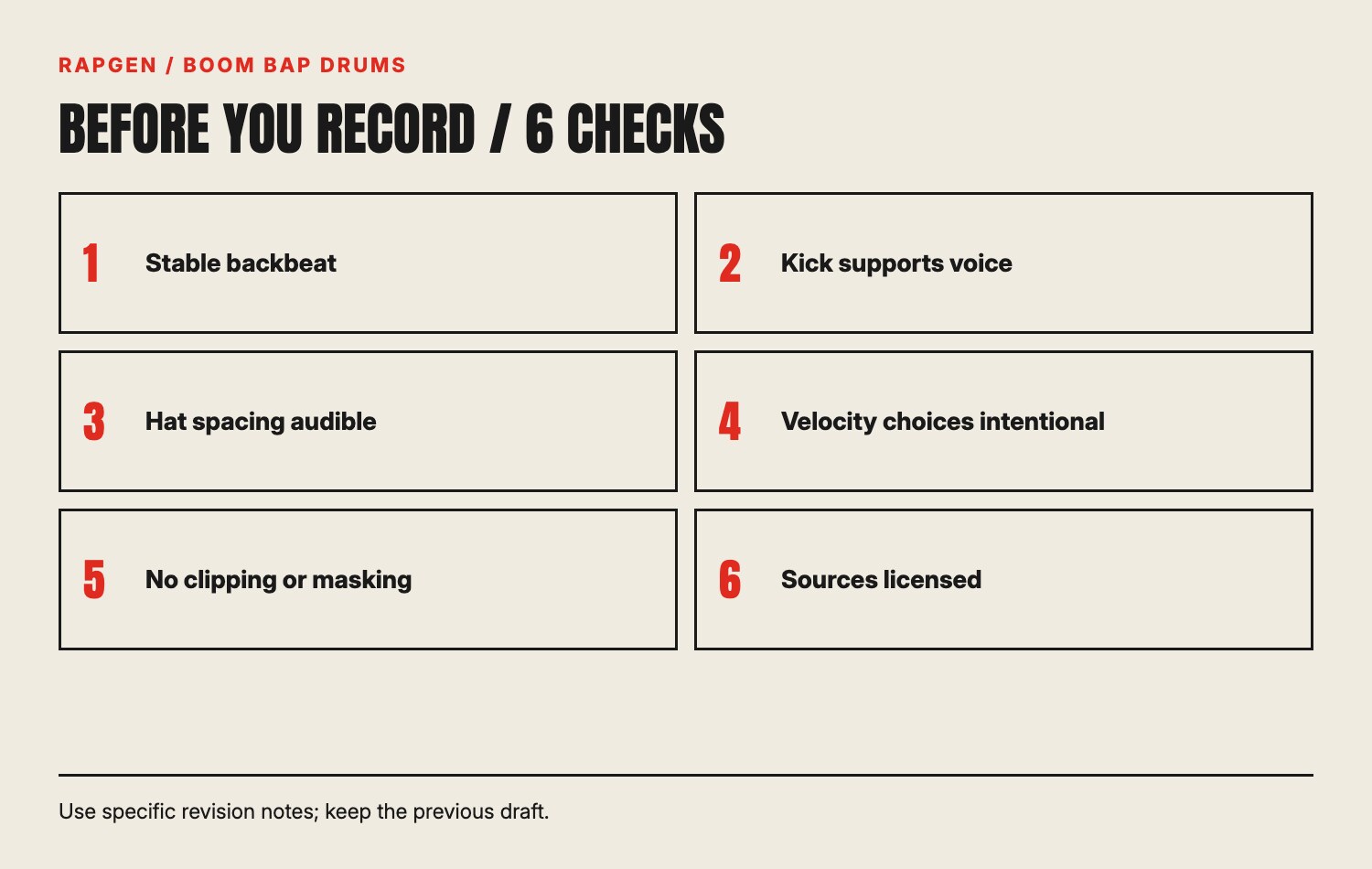
Listen at a low, comfortable volume. The backbeat and voice should remain identifiable without needing to turn everything up. Check for clipping indicators in your editor, but also replay the exported file; an acceptable-looking session is not proof that the export used the correct settings.
Check headphones and a phone speaker. This is a practical translation check, not professional mastering. If a low kick vanishes on the phone, decide whether a different sound or arrangement cue is needed rather than assuming more sub-bass will solve it.
Keep permission records for samples and loops. A short drum hit can still have a license governing its use. Read the actual terms supplied with the material and avoid treating “downloaded free” as identical to “cleared for every release.”
Name the exported versions clearly: plain, extra kick and hat timing test. Include the tempo if you know it and the vocal reference used. When you return to the project, those names explain what you compared and prevent the loudest file from becoming the winner by accident.
Finally, check that your chosen pattern supports the complete verse. A loop that works under one sentence may need a thinner version under a denser passage. Make those section-specific changes intentionally, preserving the basic pulse where the listener needs it.
An example of a useful comparison note
After adding the kick on the “and” of four, you might write: “The lead-in feels clear without bass, but blurs the word ‘sign’ when the bass sustains.” That note identifies a specific context. You can now compare a shorter kick tail or remove the added hit only under that phrase.
Keep the original two-kick pattern available. If the shorter sample solves the overlap but loses the weight you wanted elsewhere, use the sound change locally rather than declaring one sample best for the entire song. The vocal phrase and surrounding arrangement define the problem. A useful session ends with a reasoned choice you can reproduce, not a collection of unlabeled loops that all differ in several ways.
Three things you can stop worrying about
Finding one official tempo. Choose a working tempo for your voice and exercise. The genre label does not supply a mandatory setting.
Making every hit different. A stable reference pattern is what lets you hear a meaningful change. Random variation can make comparison harder.
Finishing a complete beat before testing a voice. A short recording over a small loop can reveal masking and spacing while revisions remain easy.
Bring another written phrase to the loop
The rap bars generator returns individual written lines you can adapt for another vocal test. It does not export a drum sequence or isolated percussion. Keep the loop in your music editor and use your own recorded delivery as the comparison reference.
The short version
Build boom bap drums from a countable skeleton, add a clear hat pulse and change one musical variable at a time. Reuse the same vocal take, test subtraction and give fills a section-specific purpose. Your final choice should explain what the pattern helps the listener hear, not merely which version has more hits.